
New Features
We've been focused on adding convenience functions to the Harness Builder and Connector Creator interfaces. The latest release includes:
Harness Builder: Command-Based Undo/Redo
Complete Undo/Redo Functionality for:
- Component addition and deletion
- Component positioning
- Wire swapping and movement
- Auto-routing and manual routing adjustments for wires and cable cores
- Renaming signals
- Editing design notes
Accessible from Keyboard & Toolbar
- Ctrl + Z / Cmd + Z for Undo
- Ctrl + Y / Cmd + Shift + Z for Redo
- New Undo/Redo buttons in the toolbar, with hover-preview of recent actions

Undo/Redo buttons with hover-preview of recent actions.
Harness Builder: Multi-Select & Group Repositioning
- Box selection mode plus Ctrl-click multi-select now allow you to reposition multiple components at once.
- Group waypoint adjustment for bundle blocks and cable cores: move all wires on a given side in a single action.
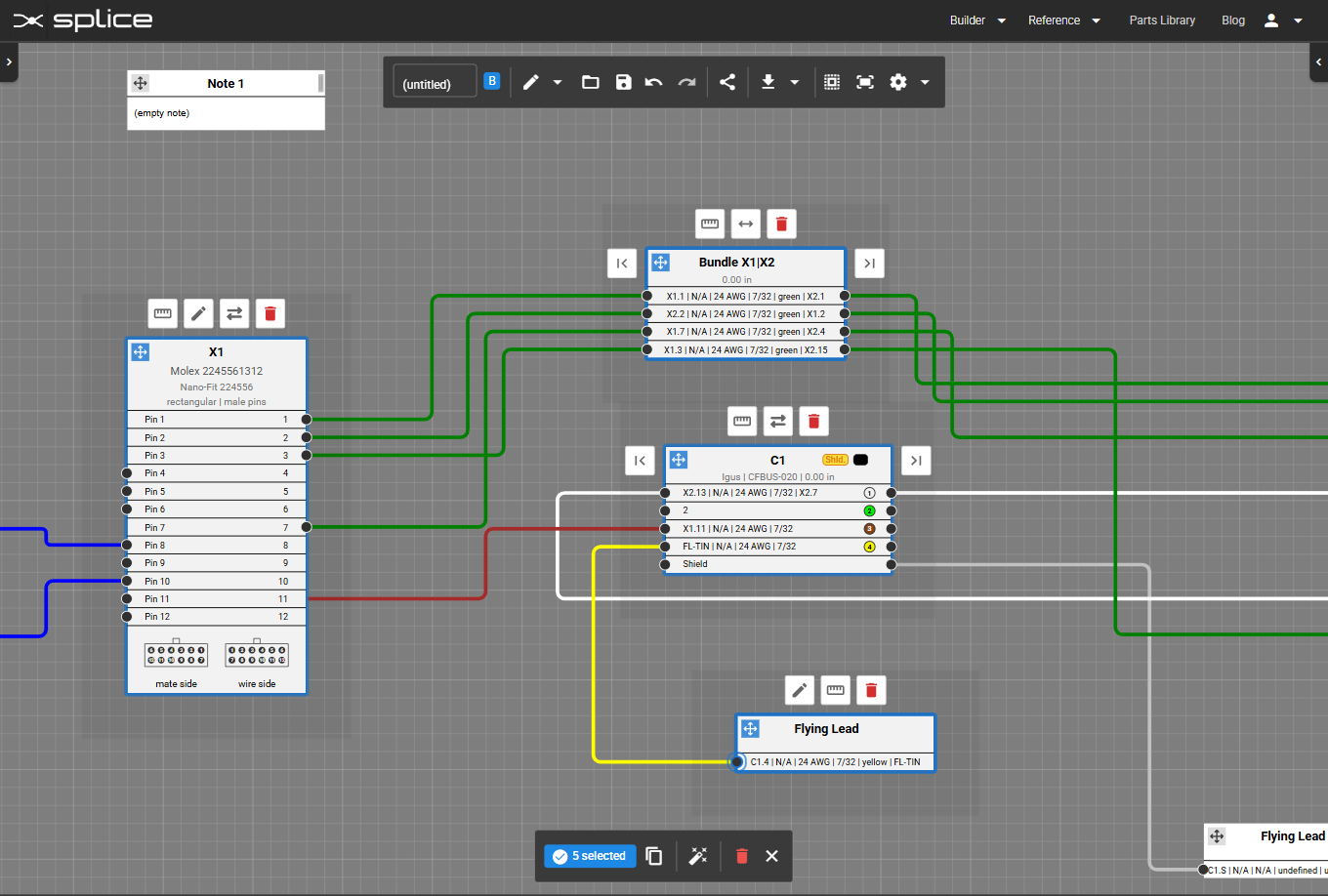
Multi-select and group repositioning in the Harness Builder.
Harness Builder: Copy & Paste
- Ctrl + C to copy and Ctrl + V to paste one or more selected connectors or cables.
Connector Creator: Command-Based Undo/Redo
- Full Undo/Redo for every SVG edit - shape transforms, pin operations, property changes, and layer reordering.
- Keyboard shortcuts and toolbar buttons mirror the Harness Builder experience for a consistent workflow.
Multiple Connections per Pin
- Attach multiple wires to a single pin.
- Simplified connection-swap flow - see the updated guide in the documentation for details.
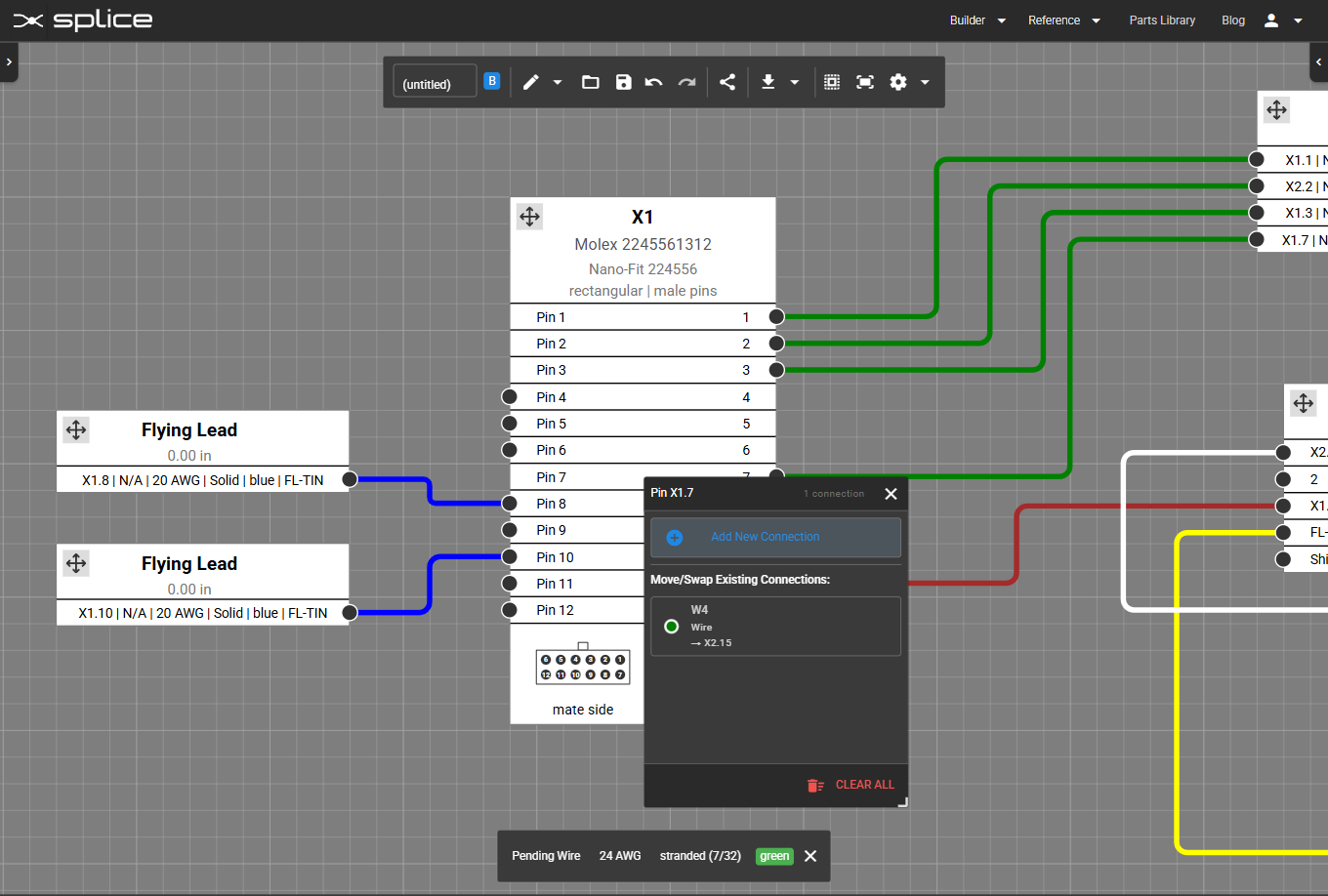
Attach multiple wires to a single pin.
Connector Creator: New DB37 & DB50 Templates
- Drag-and-drop support for D-Sub connectors: DB37 (37-pin) and DB50 (50-pin).
- Accurate pin layouts, footprints, and automatic pin numbering ready for your designs.
Bug Fixes & Updates
- Fixed asymmetry in several M8 connector templates in the Connector Creator.