
New Features
We've focused this release on speeding up connector editing and giving you more control over your engineering-drawing exports. Here's what's new:
Connector Creator: Group Selection & Bulk Operations
- Box-select & Ctrl-click multi-select lets you marquee-drag or Ctrl-click to pick multiple pins, receptacles, or any SVG elements.
- Group move: drag your selection to reposition every element as a unit.
- Group delete: press Delete/Backspace to remove all selected items in one action.
- Group copy & paste: duplicate complex pin groups or SVG clusters with a single Shift+Ctrl+C then Shift+Ctrl+V.
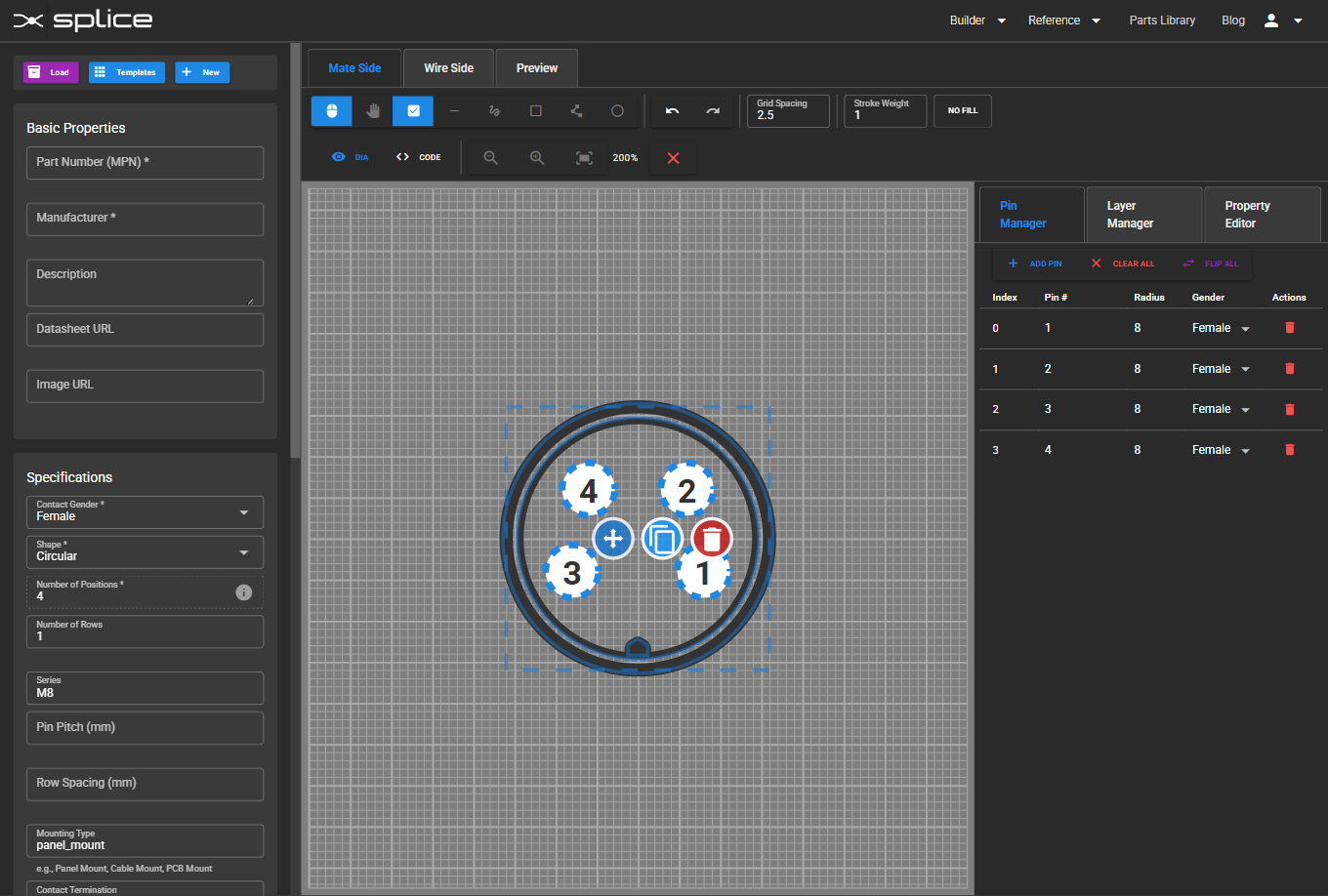
Group selection and bulk operations in Connector Creator.
Harness Builder: PDF Page Configurator
Generate multi-page engineering drawings with pixel-perfect layouts:
- Add & reorder pages: insert as many "artboards" as you need from the new PDF Pages tab; choose A2/A3/A4/Letter or enter custom mm/in dimensions.
- Position and scale frames: drag each page frame over your SVG canvas, resize to frame sections of your diagram.
- BOM inclusion & corner anchoring: toggle the Bill-of-Materials per page, then anchor it to TL/TR/BL/BR with adjustable margins and offsets.
- Crop & export: define exactly which portion of the canvas each page covers, then download to PDF, PNG or SVG.
- Persistent layouts: all your page specs (count, size, position, scale, BOM flags) are saved with the harness document and reload automatically.
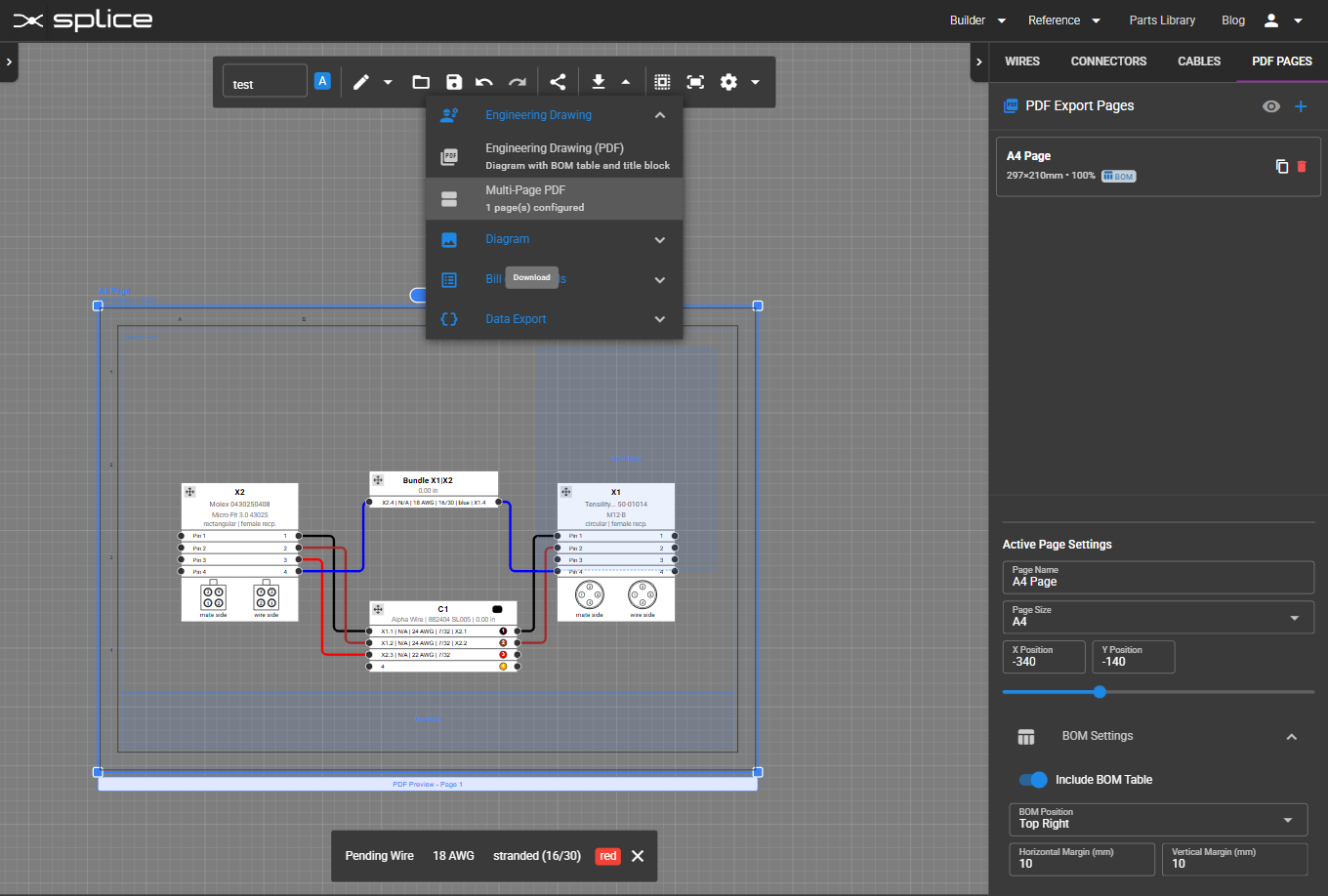
PDF Page Configurator for multi-page engineering drawings.
Bug Fixes & Updates
- DB-15 & DB-25 connector templates now render perfectly symmetric pin layouts on both the wire- and mate-sides.