
New Features
Component Creator: Text Addition & Enhanced Pin Controls
Text Labels:
- Add text elements using the new Text tool in the toolbar
- Customize font properties: size, weight, alignment, and positioning
- Perfect for labeling: component names, ratings, or any custom annotations
- Full undo/redo support for all text operations
Pin Pattern Generation:
- Generate pin arrays automatically with customizable patterns
- Define rows and columns for grid layouts
- Accessible from the grid icon on the Pin Manager tab
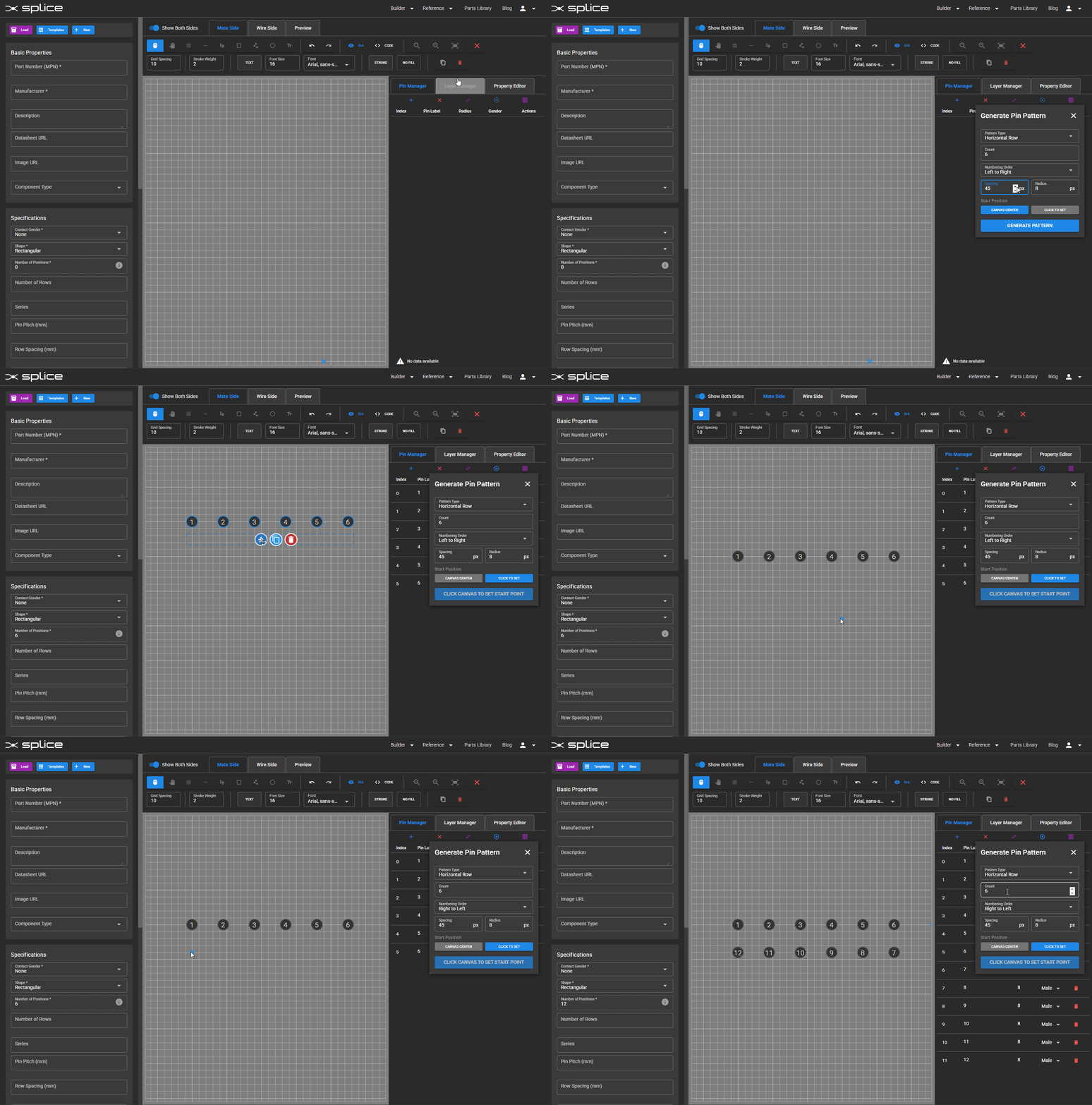
Generate pin arrays with customizable patterns.
Bulk Pin Radius Adjustment:
- Change all pin radii simultaneously with a single control
- Individual override still available for specific pins
- Accessible from the bullseye icon on the Pin Manager tab
Visual Wire Search
Finding the right wire is easier with new visual search capabilities:
- Color swatches displayed directly in search results
- Stripe patterns shown visually for multi-colored wires
- Quick identification of wire appearance without reading color names
- Filter by visual properties in addition to specifications
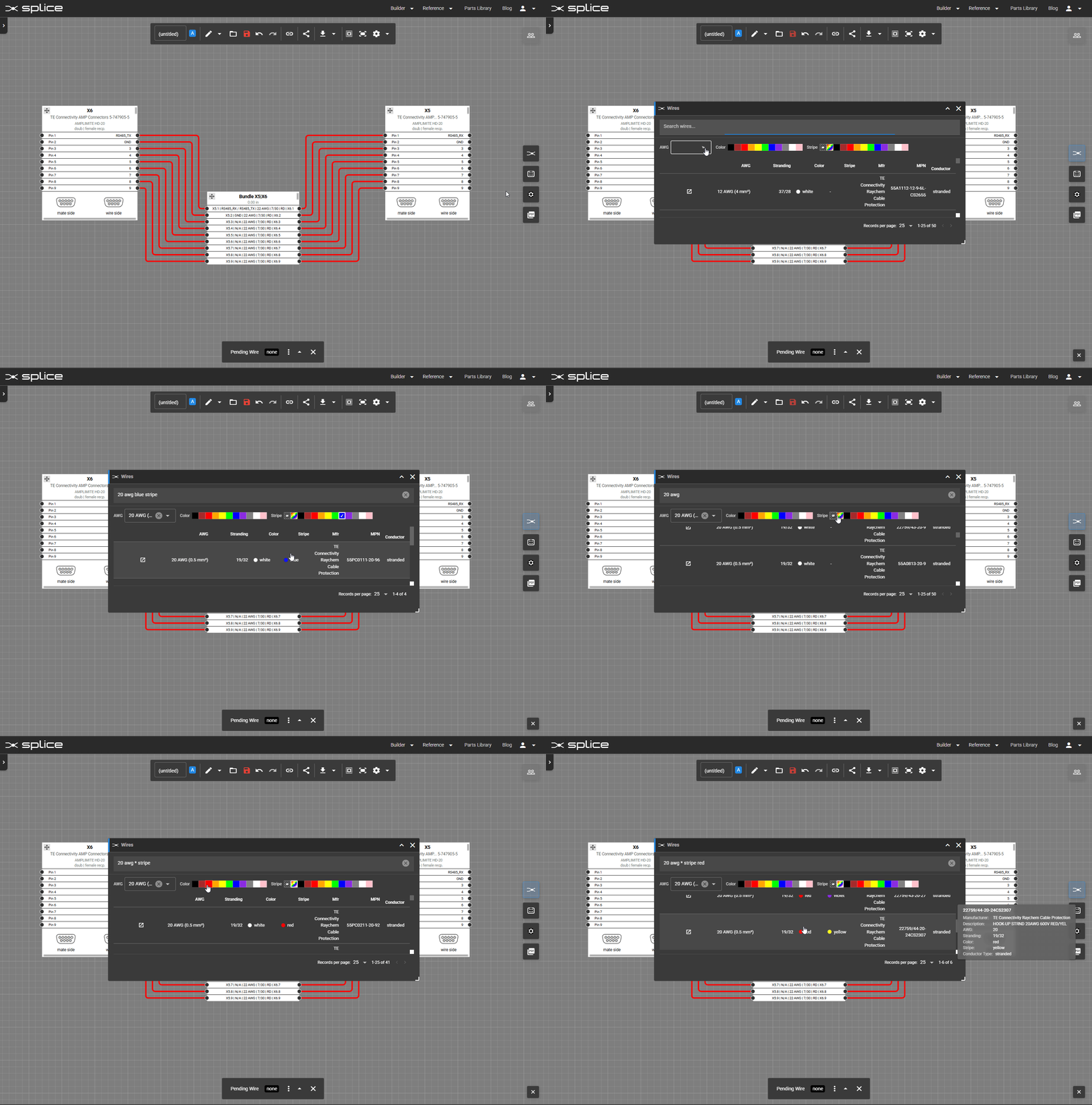
Visual wire search with color swatches and stripe patterns.
Expanded Wire Library: Striped Wires
We've expanded our wire library with commonly used striped wire combinations:
- Industry-standard color codes for automotive and industrial applications
- Enhanced search supports queries like "red stripe" or "yellow/green"
- Visual indicators in both the library and on the harness canvas
Twisted Pair Support for Wire Bundles
Create twisted pairs within wire bundles for improved signal integrity:
- Bundle-based pairing: Twisted pairs can be formed between wires in the same bundle
- Visual indication: Twisted pairs are shown with distinctive markings on the bundle block
- Undo/redo support: Full command support for creating and modifying twisted pairs
- BOM integration: Twisted pair information is included in generated bills of materials

Create twisted pairs within wire bundles.
Independent Signal Names per Connection End
Connections can now have different signal names at each end:
- Independent labeling: Set unique names like UART_TX on one end and UART_RX on the other
- Smart synchronization: Labels stay synchronized by default for simplicity
- Override when needed: Click on the "Other End" field to set a different name
- Backward compatible: Existing designs automatically migrate to the new format
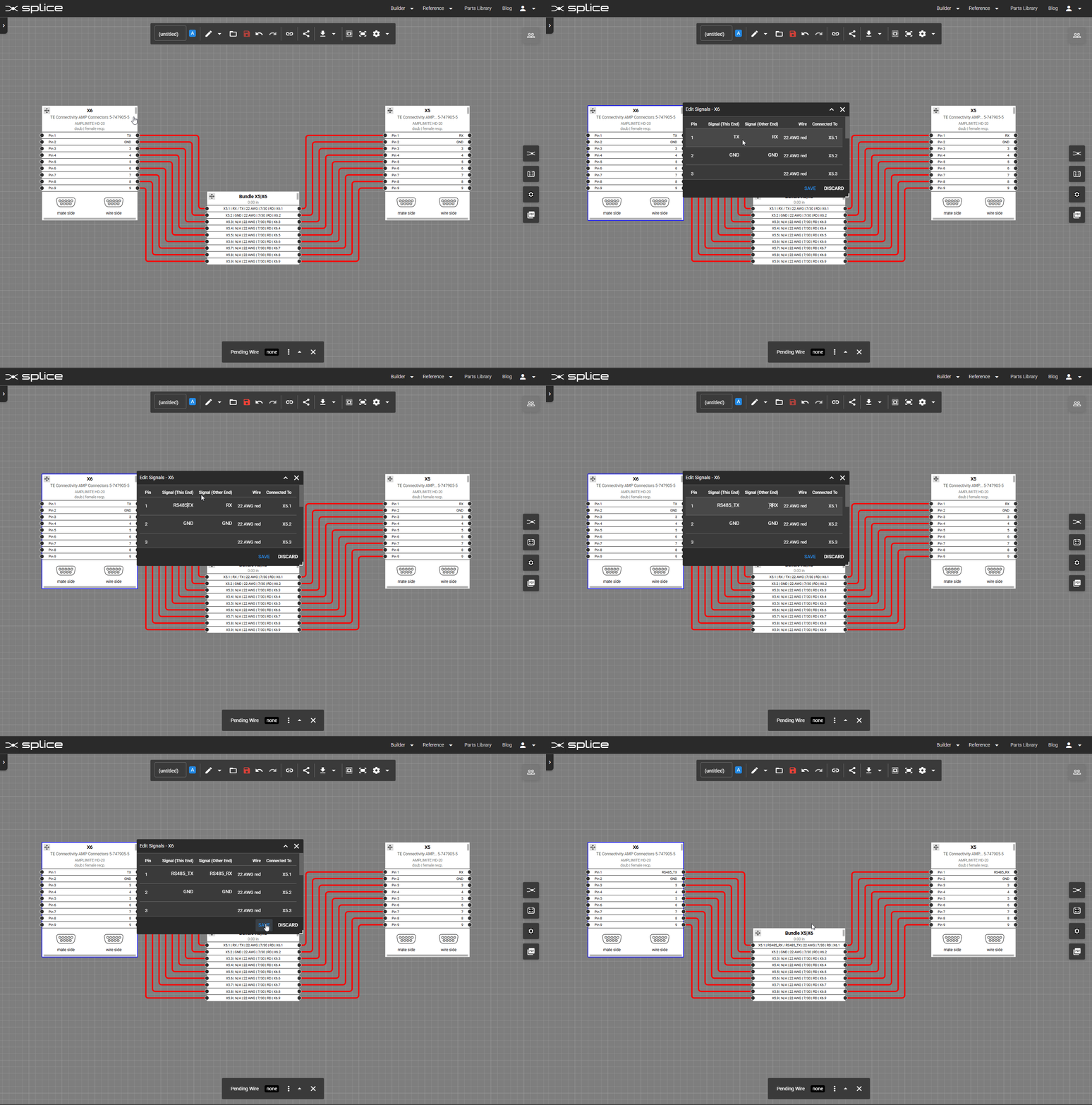
Set different signal names at each end of a connection.